
Download CS 1.6 Free
No Steam – Fast & Safe
Free Counter-Strike 1.6 full version for Windows 10/11. Play online servers or offline with bots. No ads, no launcher, instant install.
Download Counter-Strike 1.6 Free Full Version
Download CS 1.6 free full version for Windows 10 and Windows 11. This version includes online servers, bots for offline play, and a fast installer. No Steam required. Choose between clean classic gameplay or optimized builds for better FPS.
Instant download
Download CS 1.6 free full version
Download Counter-Strike 1.6 for Windows 10/11 and choose the right installer for classic gameplay, better FPS, or custom skins.
CS 1.6 Download Free for Windows 10/11
Download Counter-Strike 1.6 free and choose between the original clean client, a fast lightweight build, or themed versions with custom skins and visuals. Every installer is ready for online servers, offline bots, and quick setup on Windows 10 or Windows 11.
Why download CS 1.6 from WarzoneCS.com?
WarzoneCS.com helps players download CS 1.6 free without wasting time on random packs, broken installers, or outdated mirrors. You can choose a clean classic build, a lightweight version for weaker PCs, or custom editions with skins and themed visuals.
This page is built for players who want Counter-Strike 1.6 download for Windows 10 and Windows 11, fast installation, online servers, and offline bots in one place. The main goal is simple: download the right version, install it in minutes, and start playing immediately.
If you want the most original feel, start with Warzone Version. If you need better performance on an older computer, choose XTCS. If visual style matters more, compare the themed builds below and pick the one that matches your taste.
CS 1.6 download for Windows 10/11
All featured installers are suitable for modern Windows systems and are designed for quick setup with stable gameplay.
No Steam and classic gameplay
Choose classic or custom Counter-Strike 1.6 builds that are easy to install and ready for online servers or offline practice.
Fast, safe installer options
Pick the most popular version right away or compare multiple builds before downloading the installer that fits your style.
Which CS 1.6 Version Should You Download?
Warzone – best for players who want the original CS 1.6 without skins, edits, or unnecessary files.
XTCS – recommended for low-end PCs, faster startup, and stable FPS during long sessions.
FURRY1111 / KuraRaze – better if you want creator-style visuals, skins, and a stronger custom atmosphere.
Valorant / TF2 / CS:GO skins – ideal for players who want a themed client instead of a default classic look.
Popular Search Intents
Download CS 1.6 for low-end PC
Pick XTCS i you want a lighter build with quick loading and smoother play on weaker hardware.
Clean CS 1.6 without mods or skins
Pick Warzone if you want the classic look, default menu, and the best base for adding your own configs later.
CS 1.6 with skins and custom models
Pick FURRY1111, KuraRaze, Valorant, or CS:GO Skins if visual style matters as much as gameplay.
Safe, easy, and ready to play
Every build on this page is designed for fast installation, easy launch, and instant access to online servers or offline practice with bots. This page is built to help players quickly choose the right CS 1.6 version instead of downloading random packs from low-trust sites.
CS 1.6 Download FAQ
Is CS 1.6 free to download?
Yes. You can download Counter-Strike 1.6 free from WarzoneCS.com and choose between clean, performance, and custom builds.
Does CS 1.6 work on Windows 11?
Yes. The featured builds are intended for Windows 7, Windows 10, and Windows 11, with quick installation and easy launch.
Which version is best for low-end PCs?
XTCS is usually the best choice for weaker hardware because it is lighter and focused on fast startup and stable FPS.
How to fix Hunk_Alloc error in CS 1.6?
The Hunk_Alloc error in CS 1.6 is a common problem that usually appears due to incorrect video settings, Software rendering mode, or missing graphics drivers. This issue may cause CS 1.6 to crash on startup or fail to launch properly.
To fix it, open Settings → Video and change the Renderer to OpenGL (recommended). Do not use Software mode, as it often causes performance issues and memory errors.
If OpenGL options are missing, install or update your graphics drivers (Intel, AMD, or NVIDIA). You can also set Color Quality to 32-bit for better compatibility and stability on Windows 10 and Windows 11.
🚀 CS Boost Services
MasterServerPromote your CS 1.6 server in MasterServer and get more visibility, more joins, and faster growth for your community.
🎁 Free Boost Rewards
BacklinksAdd our backlink on your website and claim free permanent boost for your server.
✔ Visible backlink required
✔ Gaming / CS websites only
How to install CS 1.6 on Windows 10 and Windows 11
Installing Counter-Strike 1.6 is simple even if you have never used this client before. First, choose the build you want to use. Most players who want the classic look should start with the Warzone Version. If your PC is older or you want faster launch times, the XTCS Version is usually the best option. If you want a localized interface, you can also use the Russian build.
After you download the installer, open the EXE file and allow Windows to run the setup. Choose the folder where the game should be installed, continue through the setup wizard, and wait for the files to finish copying. The process usually takes only a few minutes on Windows 10 or Windows 11.
When installation is complete, launch the game from the desktop shortcut. You can open the server browser and join online servers immediately, or practice offline with bots first. This is one of the reasons players still search for cs 1.6 download free full version today: the game is fast to install, light on hardware, and easy to start.
Is CS 1.6 safe to download?
Many players ask whether CS 1.6 is safe to download. The real answer depends on the website, not the game itself. Unsafe mirrors often bundle random files, misleading buttons, or broken installers. That is why players usually look for a direct and clear download page instead of downloading from low-trust sources.
On WarzoneCS.com, the goal is to keep the download process simple. You pick the build you need, download the installer, and run the setup without extra launchers or confusing fake buttons. For players searching terms like safe cs 1.6 download, cs 1.6 no steam, or counter-strike 1.6 installer for windows, this kind of clean flow matters a lot.
If you want the safest experience, download only one version, install it, and launch the game directly from the desktop shortcut. Avoid random repacks from unknown sites and do not use pages that hide the real installer behind multiple redirects.
Best CS 1.6 settings for FPS and smooth gameplay
If you want better performance, use a lighter client like XTCS and keep your graphics settings simple. Many users search for best cs 1.6 settings or cs 1.6 fps boost because they want faster launch times and more stable gameplay on older computers.
For smooth play, close unnecessary background programs, use a lower resolution if needed, and keep the game focused on classic performance rather than heavy custom visuals. Players with low-end PCs usually benefit the most from a lightweight build and a clean configuration.
The best setup depends on your hardware, but for most users the priority is simple: stable FPS, fast loading, and no unnecessary junk. That is why a clean installer and a performance-friendly build matter as much as the in-game settings themselves.
CS 1.6 servers in 2026: can you still play online?
Yes, CS 1.6 servers are still active. This is one of the main reasons why the game continues to get downloads every year. Players still search for cs 1.6 servers, cs 1.6 online, and counter-strike 1.6 active servers because classic gameplay remains popular.
After installing the game, you can join public servers, deathmatch servers, classic competitive-style servers, or practice offline with bots. If you mainly want a version that feels close to the original game, Warzone is the best place to start. If your priority is speed and performance, XTCS is usually the better fit.
The best part is that you do not need a complicated setup. Download the installer, launch the client, open the server browser, and choose where to play. That simple flow is exactly why the keyword download counter-strike 1.6 free still has value.
Game Modes and Classic Maps in Counter-Strike 1.6
Counter-Strike 1.6 offers several game modes that keep matches competitive, tactical, and replayable. Each mode has its own objective, which is one of the reasons why so many players still download CS 1.6 and return to it even after many years.
When you download CS 1.6 for Windows, you get access to servers built around different map types and gameplay scenarios. This variety makes the game feel fresh, whether you prefer objective-based rounds, fast team fights, or more strategic matches.
- de_ maps: bomb defusal mode where Terrorists plant the bomb and Counter-Terrorists try to stop or defuse it.
- cs_ maps: hostage rescue missions where Counter-Terrorists must secure and extract hostages.
- as_ maps: VIP escort maps where one player must be protected and guided safely to the escape zone.
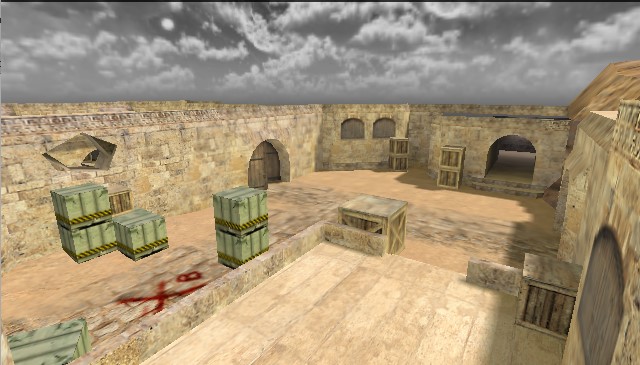
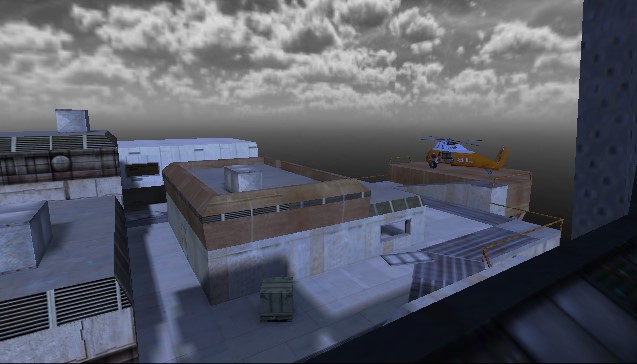
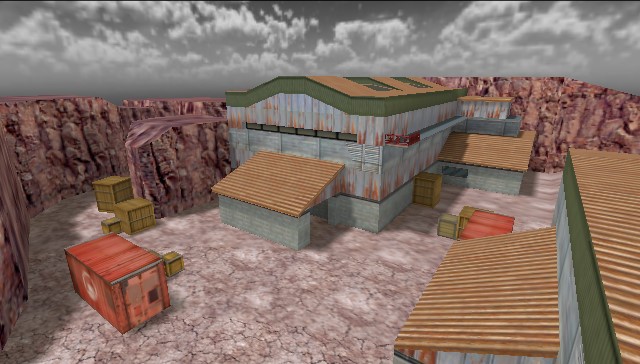
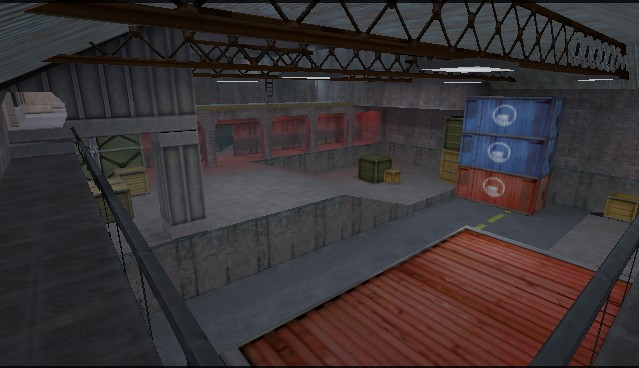
Some of the most recognized maps in Counter-Strike 1.6 include Dust2, Oilrig, Nuke and Oilrig. These maps have become part of classic CS history and are still played on many public servers today.
The mix of familiar maps, clear objectives, and different playstyles helps CS 1.6 stay relevant. It also gives both new and experienced players a chance to improve aim, positioning, communication, and round strategy.
Community Mods and Custom Game Modes in CS 1.6
One of the main reasons Counter-Strike 1.6 is still popular today is its active community and the wide range of custom game modes. Even years after release, players continue to create new servers with unique gameplay experiences.
When you download CS 1.6 for Windows, you gain access to different types of servers that go beyond classic gameplay. These custom modes make the game more dynamic and keep it interesting for both new and experienced players.
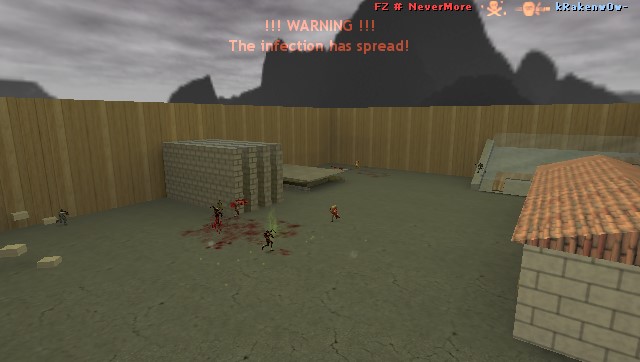
- Zombie servers: survival-based gameplay where players fight against infected enemies.
- Deathrun: obstacle maps with traps that require timing and precision.
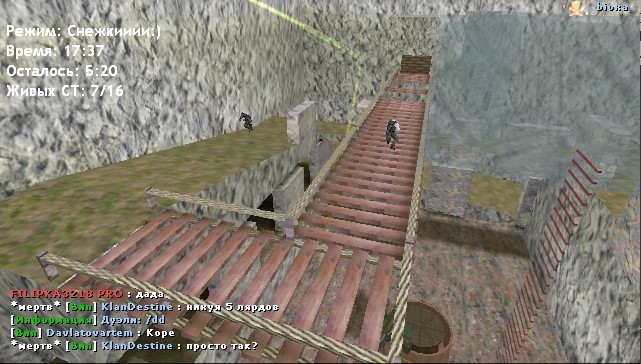
- Surf: maps with unique physics that allow players to glide across surfaces.
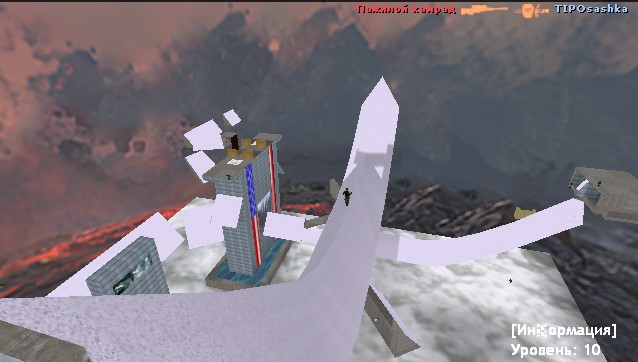
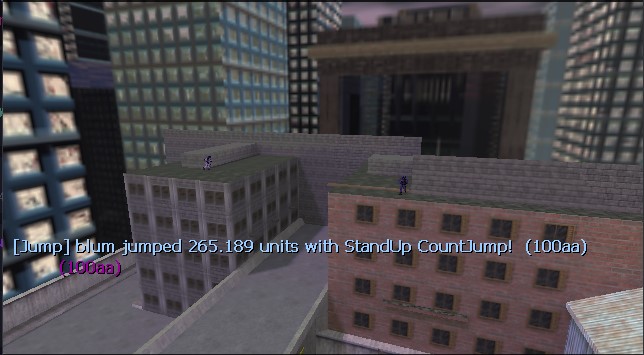
- HNS (climb): skill-based maps focused on movement and jumping mechanics.
These modes help keep CS 1.6 fresh and engaging, giving players new challenges and ways to improve their movement, reactions, and overall gameplay skills.
CS 1.6
Warzone
Instant Download
Get this CS 1.6 build in one click
Fast setup, online servers, offline bots, and clean installation for Windows.
CS 1.6 Warzone is the best choice for players who want a clean, classic, and stable version of Counter-Strike 1.6 on Windows. This build stays close to the original game and avoids overloaded menus, random edits, or unnecessary visual changes that often make other downloads feel messy.
If your goal is to download CS 1.6 free and get a client that feels familiar from the first launch, Warzone is the safest starting point. It keeps the original atmosphere, works well with public servers, and gives players a strong base for configs, maps, bots, and future custom changes.
Why choose Warzone Version?
- Classic look with original-style models, HUD, and menu layout.
- Clean installation without heavy skins or distracting edits.
- Strong compatibility with servers, maps, configs, and offline bots.
- Good choice for both new players and old-school CS 1.6 fans.
Who is this version for?
Warzone fits players who want a reliable everyday client for online matches, LAN play, or offline practice. It is also ideal for users who prefer the original Counter-Strike feeling and want to avoid themed builds that change too much of the visual identity.
If you want better performance on a weak PC, try XTCS. If you want more custom style, compare FURRY1111, KuraRaze, or Valorant Edition.
Play online or offline
Warzone works smoothly for both internet servers and offline play with bots. Download it if you want a balanced, clean, and trustworthy CS 1.6 build that is ready to install and play in minutes.
Extra details about Warzone Version
Warzone is the best option if you want a client that feels close to the original game and stays easy to customize later. Many players use this version as their everyday install because it gives them a strong base for adding personal configs, favorite maps, and trusted server lists without fighting against heavy edits.
It is also a smart choice for players who reinstall CS 1.6 often and just want a dependable version that works right away. If you want a clean first install, stable menu behavior, and a traditional Counter-Strike look, Warzone stays one of the safest downloads on the page.

Clean Ready-to-Play Client
Protected against malicious files, auto-connects, and keybind changes from untrusted servers.
Fast Online Server Access
Internet tab works flawlessly. Access thousands of active servers worldwide without third-party tools.
Offline Practice Included
Includes official ZBots. Practice offline with an easy-to-use control menu integrated directly into the game.
Ready To Install
Download this version and start playing today
Works on Windows 7 / 10 / 11. Play online, practice offline, and install in minutes.
Gameplay Screenshots
See how Warzone looks in-game


Features
Why players pick Warzone Version
Video
Gameplay video for Warzone Version
Discord
Join the WarzoneCS community
Need help with install, servers, or this build? Join your community hub and keep one place for updates, support, and new releases.
Replace the Discord link above with your real invite URL.
Installation Guide
Download the build that matches your play style, whether you want clean gameplay, better performance, or custom skins.
Run the .exe installer, choose your folder, and complete the setup in a few clicks.
Start the game from the desktop shortcut and play online or open a map with bots.


